Turn videos into clips that pay.

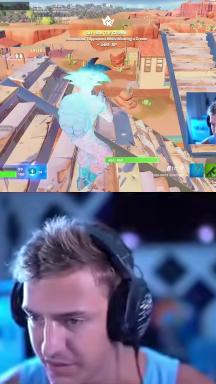
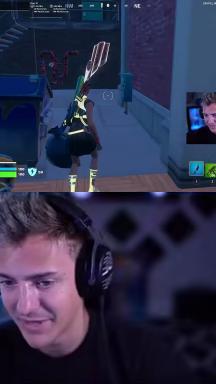
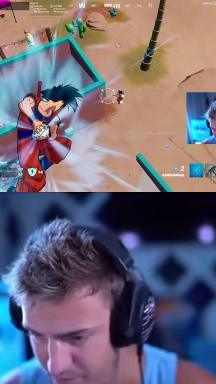
Your podcast, stream or talk comes back as vertical clips — captioned, hooked, ready to post.

Paste a link from YouTube, Twitch, X / Twitter, Facebook, Loom, Streamable — or a direct video file link. Videos up to 150 min · 2 GB · ingested up to 1080p.

Paid, and you pay for the video you feed in, not per clip: one long episode is one charge, however many clips it yields.

How it works

Three steps, and you only do one.

Paste it, walk away, post what you like.

  1. Paste the link

    Your podcast, your stream, your talk. Or upload the file. Nothing to install.

  2. Clippen watches the whole thing

    It keeps the moments that stand on their own — the ones you would have gone hunting for by hand.

  3. Post what you like

    Vertical, captioned, hook already on. Download them, or post to TikTok, Reels and Shorts from the dashboard.

What it costs

Metered by the minute you feed it, not by the clip.

Clippen is a paid tool and bills by the length of what you feed it: one credit is one minute of source video, and that one charge covers the whole run — every clip the video yields, the vertical reframing, the captions and the hook. A 60-minute podcast costs 60 credits whether it comes back with six clips or twelve. Plans start at $9.99 a month for 50 credits ($4.99 a month billed annually) and run to $199.99 a month for 1200 credits. There is no free tier.

  • One credit is one minute of source video. A 13-minute talk is 13 credits; a 60-minute episode is 60.
  • One charge covers the whole run: every clip that video yields, the reframing, the captions and the hook.
  • The credit cost of a run is shown before it starts, not after.
  • No free tier. We would rather say that here than after you have created an account.

FAQ

The questions people ask before they paste a link.

How long does it take?

Processing runs at roughly a third of real time, so a 60-minute episode is finished in about 20 minutes and a 20-minute talk in about seven. You do not sit and watch it: the job runs server-side and the clips are waiting when you come back.

How many clips do I get?

6 to 12 from an hour of conversation, each 15 to 60 seconds long. The number is not fixed: it scales with how much of the recording stands on its own, so a dense interview returns more than a slow monologue. You choose which of them are worth posting.

What does Clippen cost?

Clippen is a paid tool and bills by the length of what you feed it: one credit is one minute of source video, and that one charge covers the whole run — every clip the video yields, the vertical reframing, the captions and the hook. A 60-minute podcast costs 60 credits whether it comes back with six clips or twelve. Plans start at $9.99 a month for 50 credits ($4.99 a month billed annually) and run to $199.99 a month for 1200 credits. There is no free tier.

Do the videos have to be mine?

Clippen is built for clipping video you own or have the right to use — your own podcast, your own stream, your own talk. You keep every right you already had in the source and in the clips; Clippen takes no licence beyond processing the file you submit. Clipping someone else's upload is between you and the destination platform: YouTube's inauthentic content policy of July 2025 names recycled clips explicitly.

Do you make the clips unique so platforms cannot match them?

No, and that is a decision rather than a gap. Altering an export so duplicate detection cannot match it is evasion, it is the behaviour platforms remove channels for, and no tool can promise you will not be actioned for it. Clippen is built for people posting clips of their own material, where the question does not arise.

What if a clip comes back wrong?

You can re-cut it, change the caption style, rewrite or remove the hook, and adjust the vertical framing on the clip you already have, without running the whole video again. The AI picks the starting point; the last decision is yours.

What happens to my video after it is processed?

It is downloaded or uploaded, processed, and your clips are stored so you can fetch them from any browser. Clippen takes no rights in your footage or your clips beyond processing the file you submitted, and does not publish anything on your behalf unless you press the button that posts it.

Which languages does it handle?

The spoken language is detected automatically and captions are burned in in that language; the end-to-end verification covers English, Spanish, German and Russian. Voice dubbing into 31 languages is available per clip, and the dubbed audio is re-transcribed so the captions match the language people are hearing.

Can I post straight to TikTok, Reels and Shorts?

Yes, from the dashboard, one clip at a time after you have looked at it. There is no bulk queue that fires dozens of posts across dozens of accounts, because that pattern is exactly what platform enforcement is designed to catch.

Do I need to know how to edit video?

No. What comes back is a finished file: vertical, captioned, hooked and at full resolution, ready to upload. The editing controls are there for when you disagree with a decision, not as a step you have to complete.

The episode is already recorded. The clips are not.

One link, about 20 minutes of processing, and a week of posts comes out of a recording you have already paid for.

Sign-in, then credits at one per minute of source. The price of the run is on screen before you spend anything.